 clova
clovaMeet the
Clova app.
See what is available after bills, budgets and the plans you care about.
Join the waitlist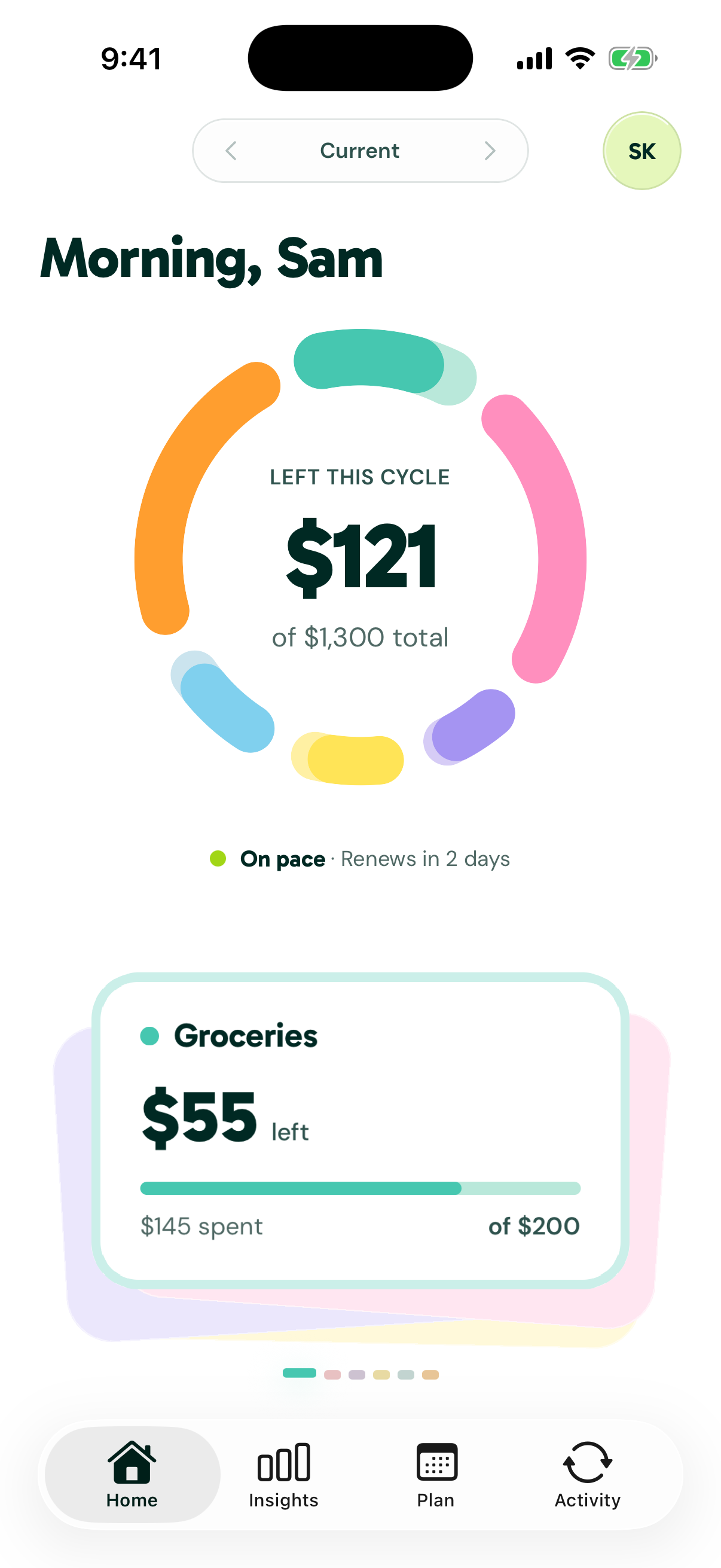
Every dollar, sorted.
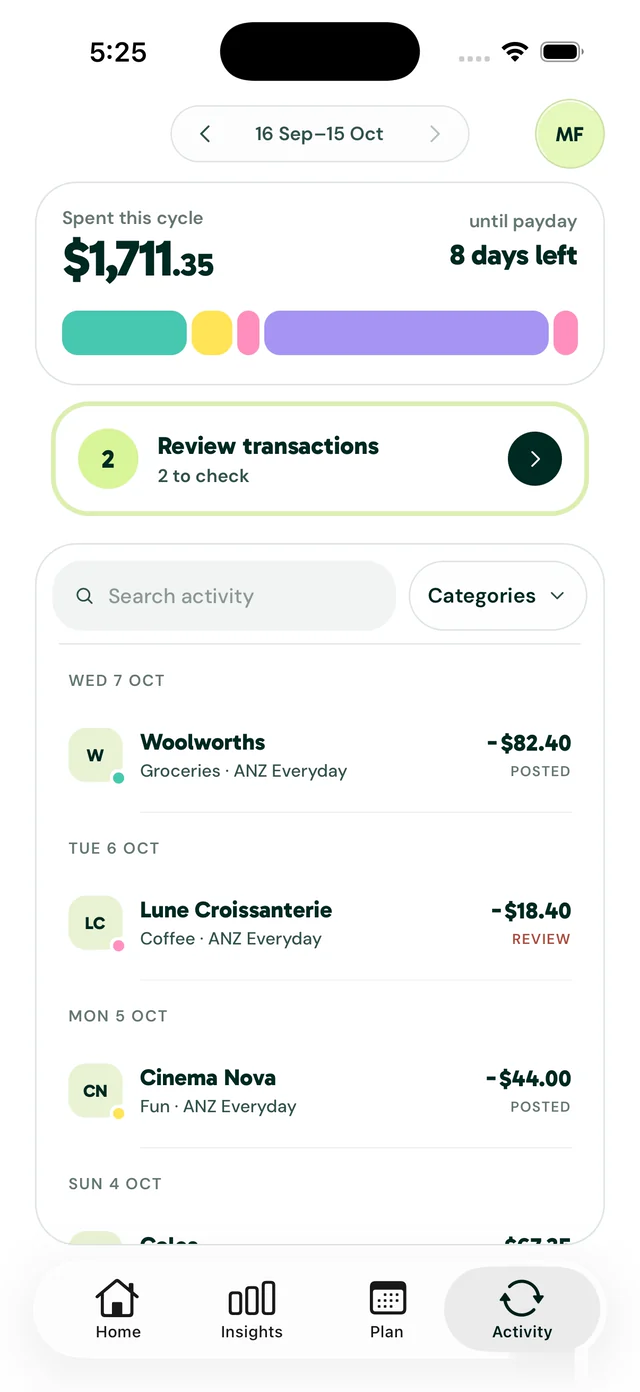
Activity puts the cycle’s spending in one bar, split by allocation. Tap the bar and each allocation opens as a card with its own purchases.
Anything Clova isn’t sure about waits under Review transactions until you’ve checked it.
See what’s changing.
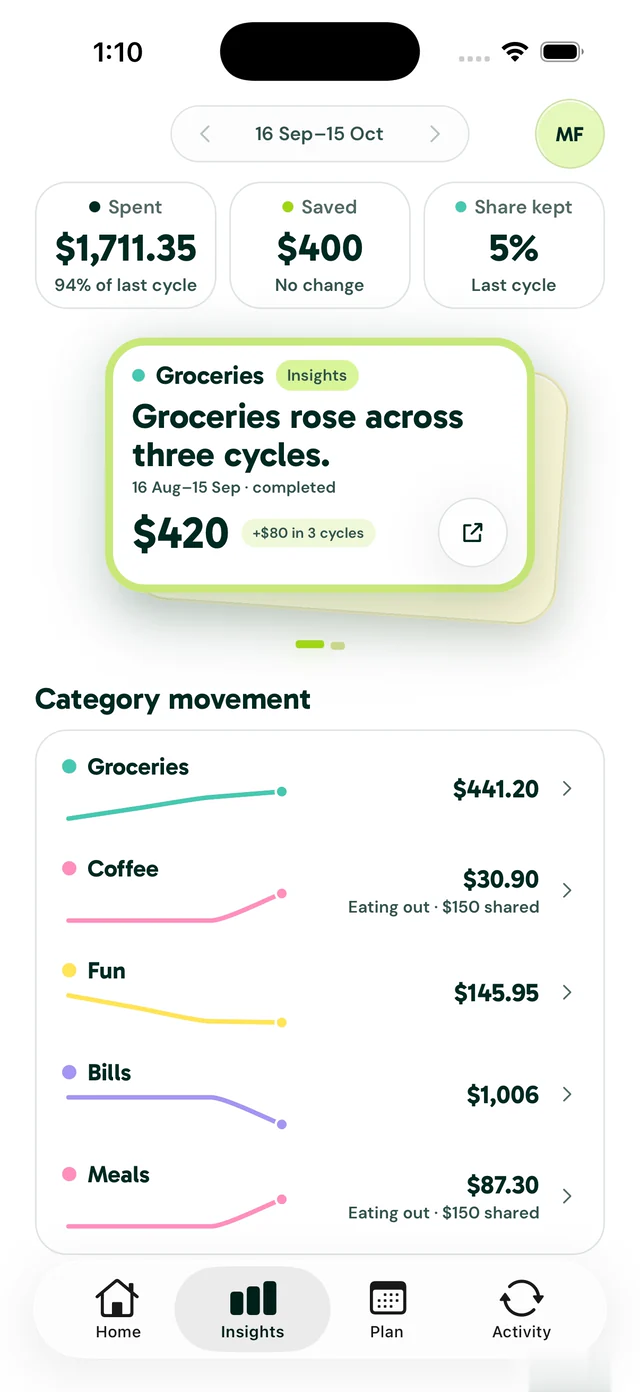
Insights compares each finished cycle with the ones before it and tells you what moved, like groceries rising three cycles in a row.
Open what you spent and the detail sits in a deck. Swipe through it, or spread it out to see it all at once.
Pull the ring
to move money.
Drag the ring between two allocations and the money moves from one to the other, so your plan always adds up to your pay.
Percentages show while you pull, then step aside.
Bills, on the days
they land.
Plan lays your bills out on a calendar up to payday. Tap a day to see what’s due, then open the bill to see its payments or change it.
A heads-up
when it counts.
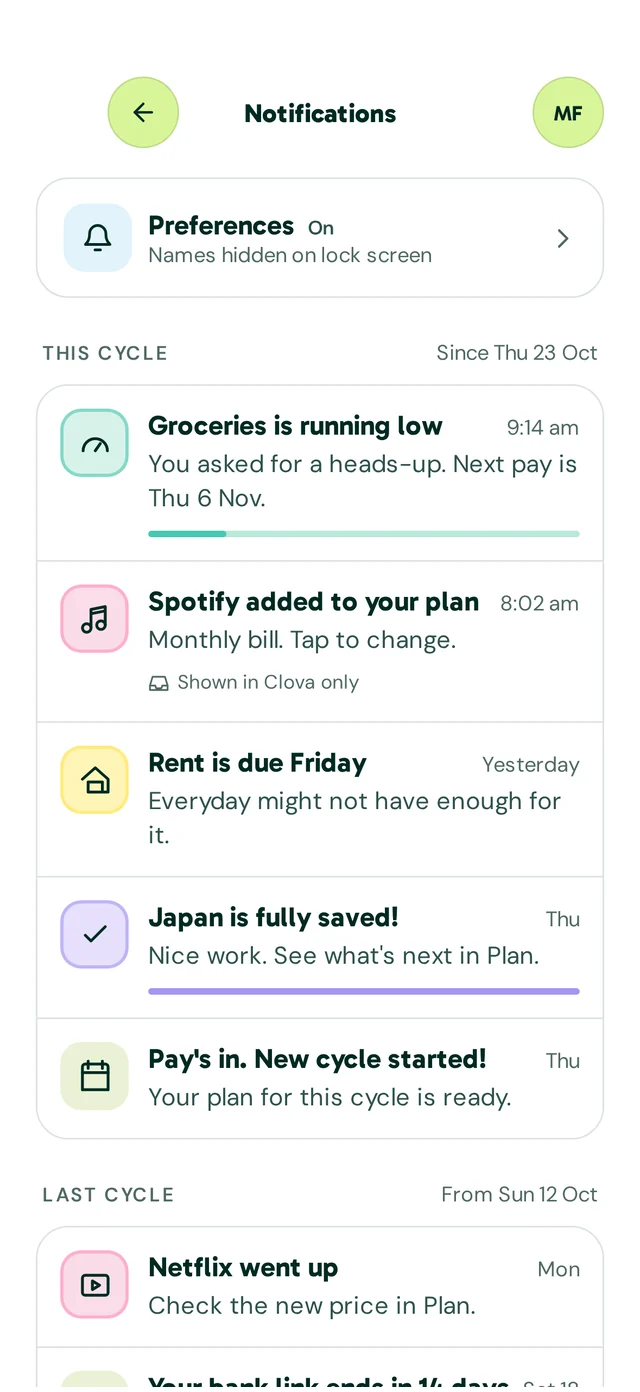
Clova tells you when an allocation is running low, or when a bill is due and the account might not cover it.
Names stay off your lock screen unless you turn them on, and it keeps quiet from 9 pm to 8 am.
The app isn’t out yet.
Every screen on this page uses sample data. Join the waitlist below and we’ll let you know when Clova is ready.
Read our privacy policyBe there from the beginning.
Join the waitlist and help shape a calmer way to understand your spending, plan ahead and feel confident about what comes next.
No noise. Just the important update.